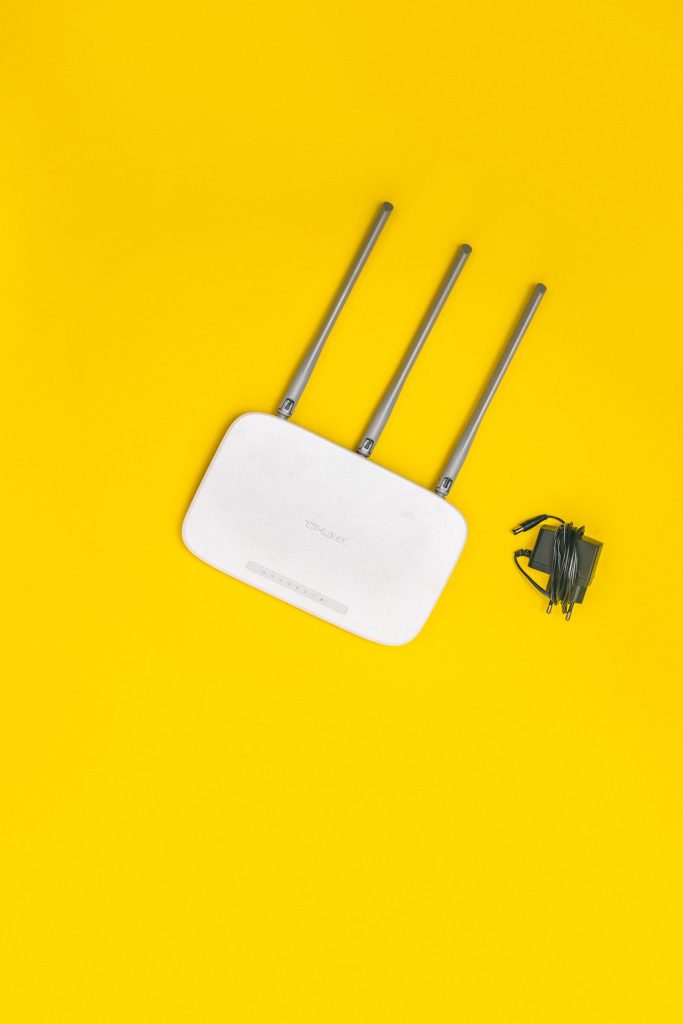
The router that ships with Starlink is fine for a studio apartment and one laptop. It is not fine for a house full of phones, a work laptop, a console, and a couple of smart TVs all pulling at once. We’ve swapped the stock box out on more setups than we can count, and the pattern is always the same: the dish is doing its job, and the router is quietly the bottleneck. People blame Starlink for slow evenings when the real problem is a little plastic box with weak radios and no way to prioritize traffic.
This isn’t about chasing specs for their own sake. It’s about knowing when the stock router is genuinely holding you back, and which third-party replacement fixes the actual problem — coverage, device count, latency, or just having a wired port where you need one. We’ll walk through the classes of router that matter to Starlink owners and be honest about which ones are worth the money and which are overkill.
What Starlink owners actually need from a router
Start with the ceiling. Starlink’s service sets your top speed; no router can beat it. So the goal isn’t a faster number on a speed test — it’s making the most of the bandwidth you already get, especially when several devices are competing. That means a router that handles many clients without choking, covers your whole home, and lets you control the queue when someone starts a big download in the middle of your video call.
The second thing you need is a path to bypass the stock router entirely. Starlink lets you turn off its built-in WiFi and route through your own gear, and that’s the move that opens up real router features: proper firewall rules, QoS, VLANs, guest networks, and wired backhaul. We cover that whole process separately, but it’s the reason buying a capable router here is worth anything at all — a good router behind a stock router is just wasted potential.
| Product | Best For | Key Features | Price |
|---|---|---|---|
 |
WiFi 6 Router |
|
Check Price on Amazon |
 |
WiFi 6E Router |
|
Check Price on Amazon |
 |
Gaming Router with QoS |
|
Check Price on Amazon |
 |
Travel Router |
|
Check Price on Amazon |
 |
WiFi 7 Router |
|
Check Price on Amazon |
1. WiFi 6 Router
The plain WiFi 6 router is the sane default for most Starlink homes, and it’s a big step up from the stock box in every way that matters. It handles dozens of devices without the stock router’s tell-tale stutter when everyone gets home, it covers more of the house on its own radios, and it plays nicely with wired backhaul if you later add a node or a switch. We put one in a mid-size home that had been living with dropouts and the complaints simply stopped.
WiFi 6 also brings the efficiency features that make a crowded network feel calm — better scheduling among clients, more simultaneous streams, and less airtime wasted on old slow devices. On a Starlink connection where your own router is rarely the limiting factor, that smoother scheduling is what you actually feel: fewer lag spikes, fewer “why is it buffering again” moments, more devices happily online at once.
It’s also the sweet spot on price. You don’t need the newest standard to fix a Starlink home; you need a decent WiFi 6 box with real antennas and a couple of gigabit ports. Liked: handles a busy house, strong range, wired-friendly. Catch: if your home is huge or your walls are thick, one unit still won’t reach the far corner — that’s a mesh problem, not a router problem.
See WiFi 6 routers on Amazon →
2. WiFi 6E Router
WiFi 6E adds a third radio band at 6GHz, and on a Starlink setup that clean band is genuinely useful. The 6GHz spectrum is wide open compared to 2.4 and 5GHz, which are crowded with every neighbor’s gear, so compatible devices get a quieter channel and less interference. We’ve seen it make the biggest difference outdoors — a patio or a detached shop where 5GHz gets chewed up by distance and clutter. If your devices support 6E, the connection feels almost wired.
The catch is on your clients. A 6GHz band only helps devices that can actually use it, and a lot of phones and laptops still can’t. Older gear drops back to 2.4 and 5GHz, where it competes with everything else, so you need a router that manages those bands well too — which the good 6E units do. If most of your household is running recent phones and laptops, 6E earns its premium; if everything is a few years old, you’re paying for a band nothing can reach.
For a dense home with lots of overlapping nearby networks, or a property where the dish and the main living space sit far apart, 6E is the upgrade that actually changes the experience. For a small, quiet network, plain WiFi 6 is money better spent.
Compare WiFi 6E routers on Amazon →
3. Gaming Router with QoS
Gaming routers get a bad rap for RGB lights and marketing, but the useful one is quality of service — the ability to prioritize latency-sensitive traffic so a game packet jumps the queue ahead of a background download. On a Starlink link, where your ping already varies more than on fiber, keeping the router from adding its own delay during a big file transfer matters. We’ve watched a game go from unplayable to fine mid-download just by switching on sensible QoS and wiring the console.
The other thing these units tend to do well is NAT throughput and low-latency scheduling. Many stock and cheap routers process packets slowly under load, adding their own queueing delay on top of the satellite’s. A gaming router is usually built to move packets fast and keep that internal latency low. Combined with a wired run to the console or PC, that’s the biggest single improvement most Starlink gamers can make, and it has nothing to do with the dish.
Be honest about whether you need it. If nobody in the house games or makes real-time calls, this is overkill and a plain WiFi 6 box will save you money. If latency spikes during evening congestion are your complaint, a gaming router with real QoS plus a couple of wired runs is the fix.
See gaming routers with QoS on Amazon →
4. Travel Router
A travel router is the small, cheap, supremely handy one. It’s tiny, runs off USB power, and can repeat or bridge an existing WiFi network — which is exactly what you want in an RV, a hotel, or a cabin where you don’t want to re-join every device to a new network by hand. We keep one in the RV bag: the router joins the network once, all our devices stay on our own little LAN, and nothing has to be reconfigured at each stop. It’s the least glamorous purchase here and one of the most used.
Its party trick is bridging two connections, which pairs beautifully with Starlink. You can have the travel router take the Starlink feed on one side and share it out on the other, or use it to fail over between Starlink and park WiFi without touching any device settings. For a mobile setup it turns a fiddly daily ritual into a one-time configuration.
The catch is that some models are single-band, so don’t expect them to push a whole house or saturate a fast Starlink link. They’re for a handful of devices and a moving location, and in that role they’re great. Liked: portable, USB-powered, device-setup once. Catch: single-band models are slow, and range is short.
See travel routers on Amazon →
5. WiFi 7 Router
WiFi 7 is the future-facing pick. It brings higher throughput, much lower latency under load, and a fast wired port — often 2.5 gigabit Ethernet — which is the part that actually matters for a Starlink setup. Even if your satellite service can’t saturate a multi-gig port, having the headroom means the router never becomes the ceiling as service speeds creep up over the next few years. Buy it once and it stays out of your way for a long time.
Be clear-eyed about the timing, though. WiFi 7 only shows its best side with WiFi 7 clients, and right now that’s a short list. If your phones and laptops aren’t that new, a WiFi 7 router mostly runs in compatibility modes and you’ve paid a premium for headroom you won’t use yet. The wired backhaul speed is the exception — that’s useful today for linking nodes or feeding a switch, and it’s the main reason to buy in early.
Our honest read: the cable still sets the ceiling. No router, WiFi 7 or otherwise, makes a Starlink link faster than the service delivers. Buy WiFi 7 if you want one router for the next several years and you have at least a couple of modern clients. Otherwise plain WiFi 6 or 6E does the same job today for less.
Compare WiFi 7 routers on Amazon →
The stock router’s real limits
It’s worth naming exactly what you’re leaving behind. The stock Starlink router has a modest WiFi radio, a small number of Ethernet ports on the models that have any at all, and almost no configuration — no QoS, no VLANs, no guest network worth the name, no proper port forwarding without workarounds. That’s not a design failure; it’s a router meant to be unboxed and forgotten, and for many people it’s enough.
Where it falls down is a busy, demanding home. When a dozen devices share one weak radio, the router spends its airtime taking turns and everyone feels slower. Add a big download or a 4K stream and latency for everyone else climbs. A third-party router doesn’t add bandwidth, but it distributes the bandwidth you have far more gracefully — and that’s the whole game in a Starlink home.
Coverage vs throughput: fix the right problem first
People often buy the wrong thing. If your problem is a dead zone in the back bedroom, a faster router won’t help — you need coverage, which means mesh or a well-placed second unit. If your problem is that everything feels sluggish when the whole house is online, that’s a throughput and scheduling problem and a better router or wired backhaul fixes it. Diagnose before you shop.
The fastest way to tell the difference: test speed right next to the router, then test in the far room. If it’s fast up close and slow far away, it’s coverage. If it’s mediocre everywhere, it’s either the router’s throughput or the Starlink service itself. One test saves you a wasted purchase.
Wired backhaul changes everything
The single biggest upgrade in most Starlink homes isn’t a new router — it’s a cable. When you link a second access point or mesh node back to the main router over Ethernet instead of WiFi, you free up the wireless spectrum for actual client traffic and the far rooms stop competing with the backhaul. We’ve seen plain gear with a wire outperform fancy gear without one, every time.
If you can run even one cable to the far end of the house, do it before you spend on a bigger router. It’s cheap, it’s permanent, and it makes whatever router you own look better. Pair it with a decent switch and your wired devices stop borrowing airtime at all.
Comparison
| Option | Best for | Weak spot | Worth it if |
|---|---|---|---|
| WiFi 6 Router | Busy mid-size homes | Won’t reach a huge house | Stock router chokes on many devices |
| WiFi 6E Router | Dense homes, outdoor range | Needs 6E clients | Most devices are recent |
| Gaming Router with QoS | Gamers, video calls | Overkill for casual use | Latency spikes under load |
| Travel Router | RVs, hotels, cabins | Single-band, short range | You move the setup often |
| WiFi 7 Router | Future-proofing, fast backhaul | Few clients support it yet | You have modern devices |
FAQ
Do I have to use a Starlink router? No. You can put Starlink into bypass mode and run your own router, which gives you QoS, VLANs, and proper firewall control. The stock router works, but bypassing it is what makes a third-party unit worthwhile.
Will a new router make my Starlink faster? It won’t raise your service ceiling, but it often raises what you actually get in a busy home by scheduling and distributing bandwidth better. Right next to the stock router you may see no change; across the house on many devices, you will.
Is WiFi 7 worth buying now? If you have a couple of modern clients and want one router for years, yes. Otherwise it mostly runs in compatibility mode and a WiFi 6 or 6E unit is the better value today.
What if I just have dead zones? That’s a coverage problem, not a router-speed problem. Add a mesh node or a second access point, ideally with a wired backhaul, rather than replacing the main router.
Our pick
For the typical Starlink home, a WiFi 6 router run in bypass mode is the value pick — it fixes the busy-house stutter without overpaying for a band your devices can’t use. If latency is your pain, step to a gaming router with QoS and wire the important devices; that combination beats a fancier router without a cable every time.
Whatever you buy, run at least one Ethernet cable and put the router in bypass mode. Those two moves do more for a Starlink home than any spec on the box.