Buying a mount, a DC converter, or a cable for the wrong Starlink generation is the most common – and most avoidable – waste of money in this ecosystem. The three current hardware platforms differ in mast size, connector, power input, and which official accessories even attach. This matrix is the reference we wish existed when we set up our first dish: every interface spec, every compatible accessory category, side by side.
The Core Comparison
| Spec | Gen 2 Standard | Gen 3 Standard | Mini |
|---|---|---|---|
| Form factor | Motorized, ~**20 x 23 in** | Passive, ~**23 x 15 in** + kickstand | **~11.4 x 9.8 in** + kickstand |
| Weight | ~**13 lb** | ~**9 lb** | ~**2.7 lb** |
| Mount interface | **1.375 in** mast stub | Kickstand plate + **Pipe Adapter** (1.25-2 in masts) | Kickstand + small tripod adapters |
| Typical power draw | **50-75 W** | **75-100 W** | **25-40 W** |
| Power input | Proprietary cable + router PSU (~**48-52 V**) | Proprietary cable from Gen 3 router (~**54 V**) | **USB-C PD, 60 W min / 100 W rec.** |
| Wired networking | **Ethernet Adapter required** | Ethernet on Gen 3 router | None (WiFi only) |
| Router | Integrated, non-removable | Detachable, replaceable role | Integrated |
| Bypass mode | Via Ethernet Adapter | Via router port / headless | Not available |
| Motors / self-aim | Yes | No (110° FOV) | No (manual aim) |
Official Accessory Compatibility
| Official Accessory | Gen 2 | Gen 3 | Mini |
|---|---|---|---|
| Pipe Adapter | Yes (dedicated version) | Yes (new collar design) | No |
| Volcano Roof Mount | Yes | Yes (updated model) | No |
| Long Wall Mount | Yes | Yes | No |
| Pivot Mount | Yes | Yes | No |
| Ethernet Adapter | Yes (essential) | Not needed | No |
| Travel Case | Oversized | Dedicated dish case | Compact case |
Third-Party Accessory Compatibility
| Category | Gen 2 | Gen 3 | Mini |
|---|---|---|---|
| RV ladder mounts | Needs 1.375 in cradle | **Best supported** (Pipe Adapter fits most) | Overkill – use small clamps |
| Standing seam clamps | Yes, with stub cradle | Yes, ideal pairing | Yes, small versions |
| Magnetic bases | Not recommended (weight) | Fair-weather only | **Excellent fit** |
| Camera tripods | No | No | **Yes – native adapters** |
| 12V DC conversion kits | Available, fussier fit | **Mature plug-in kits** | USB-C PD cable only |
| Power banks | No (inverter needed) | No (inverter needed) | **Direct USB-C PD** |
| Mesh WiFi / bypass | Adapter + any router | Router port / headless | Bridge via travel router |
| Cable glands | ~1 in oversize needed | ~3/4 in | Standard USB-C gland |
How to Read This Matrix When Buying
Mounts
The mast interface is the trap. Third-party mount listings that say “compatible with Starlink” usually mean the Gen 3 Pipe Adapter or kickstand plate – the Gen 2’s stub needs its own cradle diameter, and Mini mounts are camera-grade. When in doubt, buy for your exact generation and check the specific guides: RV mounts, metal roof clamps, and the full mounting guide.
Power
The Mini’s USB-C PD input makes every portable power product instantly compatible – it is the only generation where “will this power bank work?” is always yes (given **60 W+ output**). Standard dishes need either the stock AC path (inverter required off-grid) or a generation-specific DC harness – wiring details in the 12V conversion guide and runtime math in the off-grid pillar.
Networking
Gen 2 is the only generation that needs the Ethernet Adapter, and the Mini is the only one with no wired path at all. Full bypass topologies are in the mesh WiFi guide.
Which Generation Should You Buy Accessories For?
Practical guidance: if you are mobile or renting, the **Mini’s** ecosystem is the cheapest and lightest. If you are a full-timer or homesteader, the **Gen 3’s** mature third-party market – especially pipe adapters and DC conversion kits – makes it the best-supported platform. The Gen 2 remains fully usable but is the hardest to accessorize; factor that into any upgrade decision.
Where to Buy Mounts & Adapters
Every third-party mount and adapter referenced in the matrix above is available on Amazon. Double-check the compatibility column for your hardware generation before ordering, and review our independent review disclosure.
| Product | Best For | Key Features | Price |
|---|---|---|---|
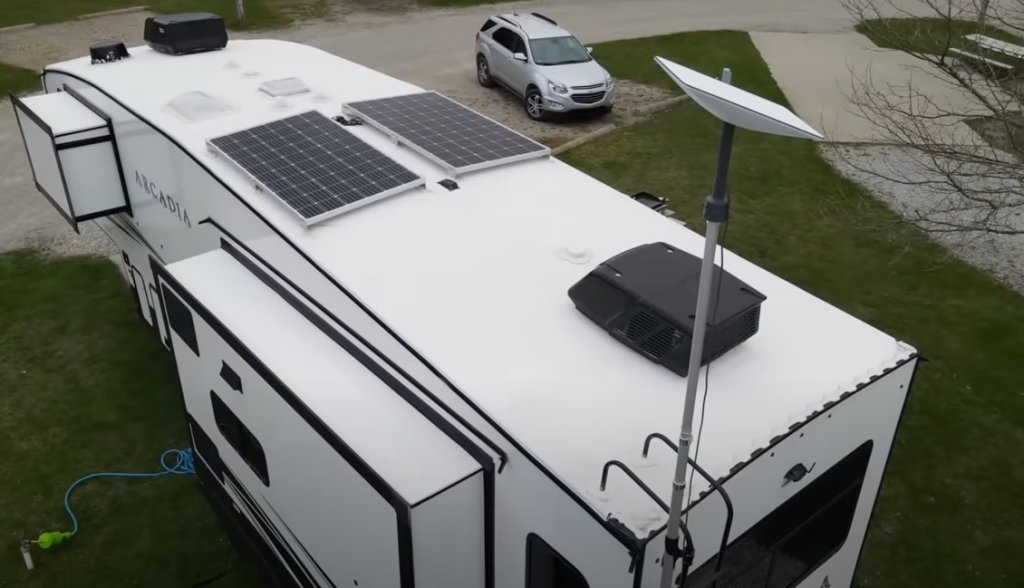 | Best for Gen 3 - Pipe Adapter + Pole Mount |
| Check Price on Amazon |
 | Best for Metal Roofs - No-Drill Clamp Kit |
| Check Price on Amazon |
 | Best for Off-Grid - 12V DC Conversion Kit |
| Check Price on Amazon |