The dish is only half the Starlink shopping list. Between the proprietary cable, the Ethernet Adapter you probably need, the router you might replace, and the weather your hardware will face, the accessory ecosystem decides whether your setup is bulletproof or a support ticket waiting to happen. This pillar guide ranks the accessories that actually matter, generation by generation – and flags the ones that are a waste of money.
Quick Summary / Top Recommendations
| Product | Best For | Key Features | Price |
|---|---|---|---|
| Best Network Add-On - Ethernet Adapter (Gen 2) |
| Check Price on Amazon |
 | Best Coverage Upgrade - WiFi 6 Mesh System |
| Check Price on Amazon |
 | Best Weather Add-On - Heated Snow-Melt Plan |
| Check Price on Amazon |
Tier 1: Accessories Every Owner Should Consider
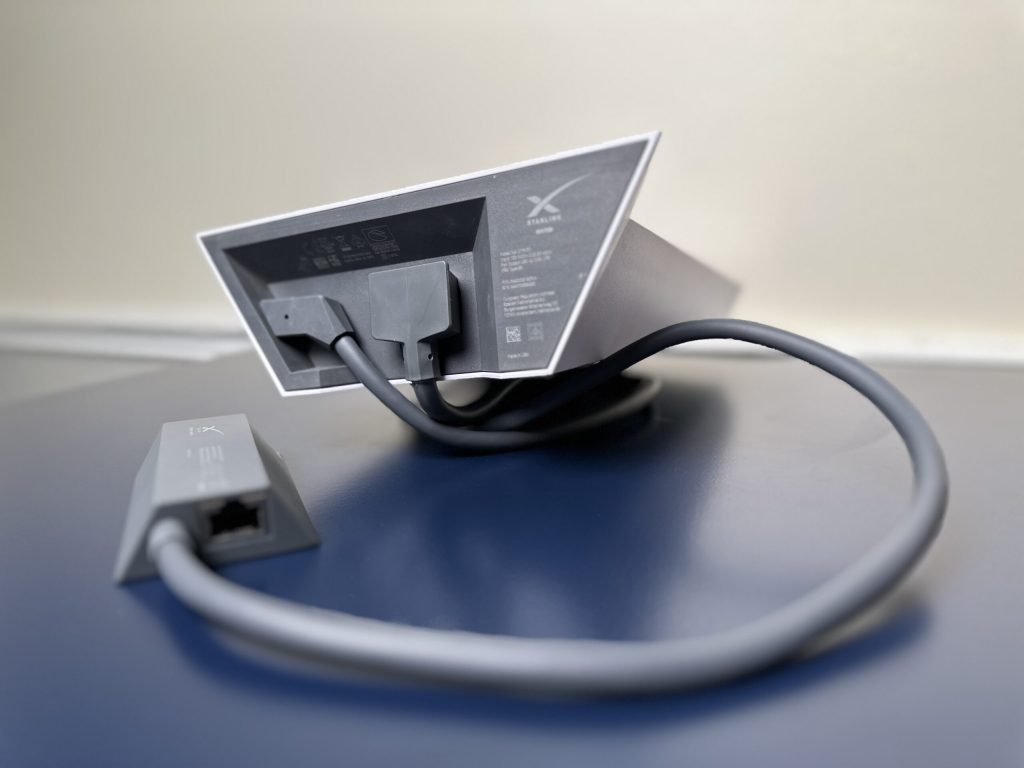
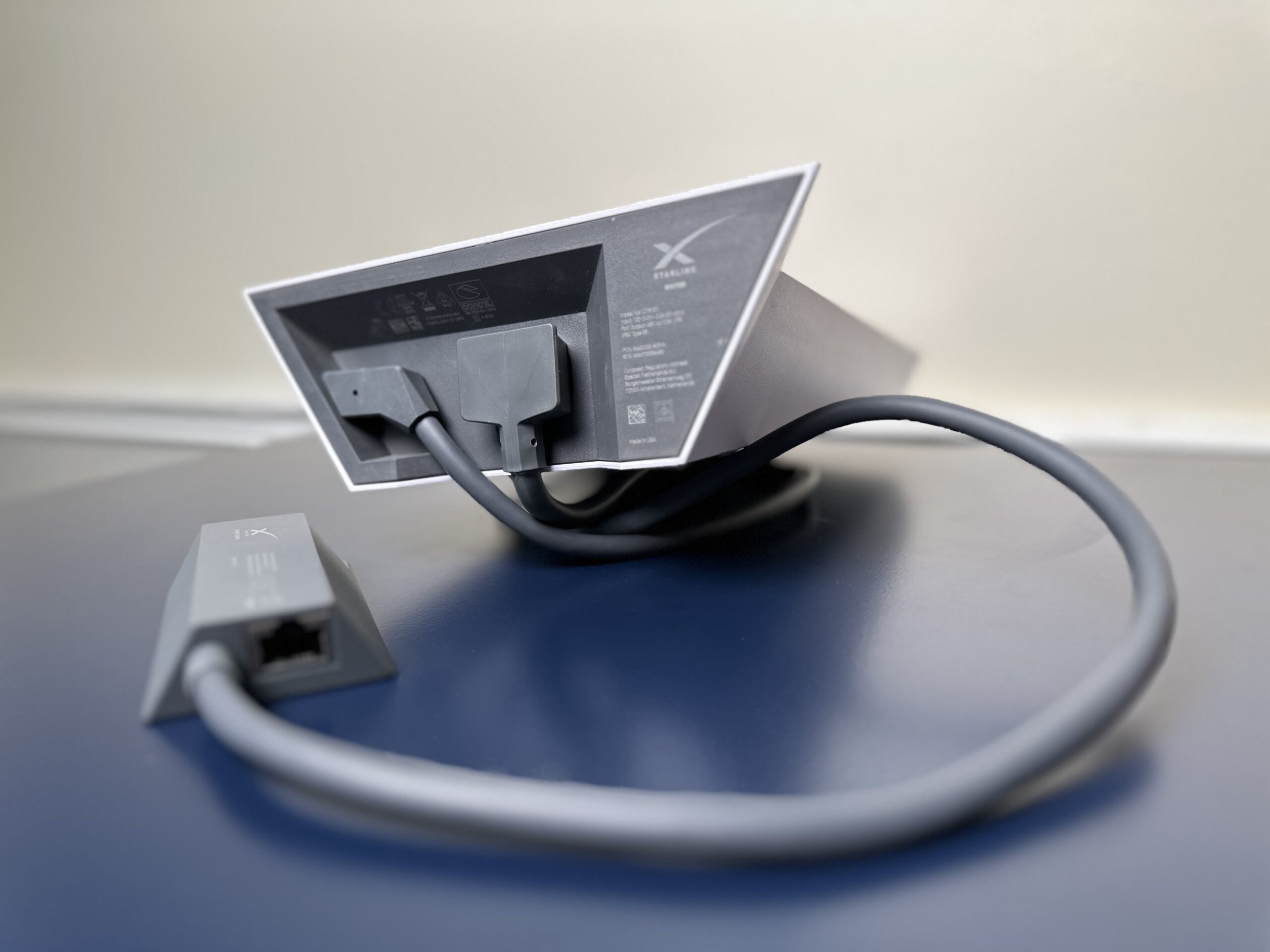
Ethernet Adapter (Gen 2) – The Unlock
The Gen 2 router has **no Ethernet ports for downstream use**; the official Ethernet Adapter plugs into the router and exposes two LAN ports. It is the gateway to wired connections, better routers, and bypass mode entirely. Gen 3 owners do not need it – the Gen 3 router has Ethernet built in. This single accessory enables half the projects on this site, including the bypass mode mesh guide.
Cable Protection (The Squirrel Problem Is Real)
The most common Starlink hardware failure we see reported is not the dish – it is **chewed cables**. Squirrels and rodents treat the flat Starlink cable like dental floss. Defense in depth:
- Conduit or split loom over any cable run within 8 ft of the ground or through trees.
- Metal-braided sleeve at vulnerable spans (eave to dish).
- Keep runs taut and inaccessible – a sagging cable against a fascia board is an invitation.
If a cable is already damaged, splicing kits exist for the Gen 2/Gen 3 cable, but they are fiddly; a replacement cable plus a rodent-proofed route is usually cheaper than a second repair.
Longer Cables – Buy Carefully
Starlink sells longer proprietary cables, and third-party ones exist. Two cautions: voltage drop increases with length on DC systems (see the 12V guide – keep runs reasonable or upsize conductors), and connector quality on cheap aftermarket cables is a common point of water ingress. Buy from vendors with weatherproofing claims and a return policy.
Tier 2: Situational but Excellent
Hard Travel Cases (Mini and Gen 3)
The Mini fits a **compact hard case** with a power bank and cables – the complete kit weighs under 8 lb and survives airline handling. For the Gen 3, padded cases protect the dish and its kickstand between campsites. Foam-cut cases beat soft bags; the dish’s face is the fragile part.
Mesh WiFi (Bypass Mode)
The stock Starlink router covers a small home adequately and little more. If you have a large house, shop, or farm, a WiFi 6 mesh system in bypass mode transforms coverage – we benchmarked TP-Link Deco against Netgear Orbi on a live Starlink connection in the dedicated mesh guide.
Cable Pass-Through Hardware
Drilling a hole for the chunky proprietary connector is a one-shot job – do it with the right gland and it never leaks; do it wrong and you chase water stains for years. Our pass-through guide covers RV shells and home walls, including the oversized-gland trick for the Gen 2 plug.
Mounts (The Big Category)
Mounting is its own universe – roof, wall, pole, RV, and portable hardware for all three dish generations. Start with the ultimate mounting guide, then check your exact hardware against the compatibility matrix.
Tier 3: Skip or Defer
- Signal boosters / “range antennas”: nonsense for the dish-to-satellite link; the physics do not work. Spend the money on mesh WiFi for the dish-to-device link.
- Aftermarket “obstruction finders”: the official app’s checker is free and accurate.
- Universal mounting cradles “for satellite dishes”: mostly sized for TV dishes. Verify the Gen 2’s **1.375 in** stub or the Gen 3 Pipe Adapter fit before buying.
Generation Quick Reference
| Accessory | Gen 2 | Gen 3 | Mini |
|---|---|---|---|
| Ethernet Adapter | **Required** for wired/bypass | Not needed (built in) | N/A (has Ethernet? no) |
| DC Conversion | Available, fussier fit | Mature plug-in kits | USB-C PD cable only |
| Longer cables | Proprietary | Proprietary | Standard USB-C |
| Travel case | Oversized, bulky | Padded dish case | Compact hard case |
One more protective note for cold climates: every dish has built-in **Snow Melt** heating – no accessory needed – but it roughly doubles power draw, so off-grid users should plan battery and solar around it before winter arrives.