The Gen 3 Standard is the best Starlink for permanent installs: no motors to fail, a wider **110° field of view** that forgives imperfect aiming, and a third-party mount market that has matured faster than any previous generation. Its defining feature is the **integrated kickstand** – the dish clips into a folding stand that works on the ground, and bolts to almost anything. This guide covers what the kickstand can and cannot do, which official and third-party mounts pair best, and the power/networking specifics Gen 3 owners need to know.
Quick Summary / Top Picks
| Product | Best For | Key Features | Price |
|---|---|---|---|
| Best Overall - Pipe Adapter + 2 in Pole |
| Check Price on Amazon |
 | Best for Homes - Wall/Eave Mount |
| Check Price on Amazon |
 | Best for Metal Roofs - Seam Clamp Kit |
| Check Price on Amazon |
The Kickstand: Capabilities and Limits
What It Does Well
The kickstand is a legitimately good product: it sets the dish at a sensible default pitch, folds flat for transport, and – critically – it is a **structural bolt-on interface**. Four attachment points mean you can bolt the whole plate to a wall bracket, a roof platform, or a custom frame and the dish stays rigid. For renters and temporary installs, the kickstand on the ground is often all you need; the Gen 3’s wide field of view tolerates a marginal ground spot far better than the motorized Gen 2 tolerated a blocked one.
What It Cannot Do
- Snow country: a ground-level dish ends up in the snowpack by January. Get it up on a wall or pole before winter.
- Obstructed yards: the kickstand sets one fixed pitch – it cannot compensate for a treeline. Pole or roof height is the fix.
- High-wind exposure: flat on the ground the dish is aerodynamic; on the kickstand it presents a sail. Secure it in anything above ~**50 mph**.
Mounting Options Ranked
1. Pipe Adapter on a Ground Pole (Our Pick for Flexibility)
The **Gen 3 Pipe Adapter** clamps around the dish’s rear and accepts masts from **1.25-2 in**. On a galvanized pole set **24 in** into concrete, this is a 75-mph-rated, re-aimable, snow-clearing install for under $100 total. The adapter’s rotating collar makes seasonal pitch changes tool-free.
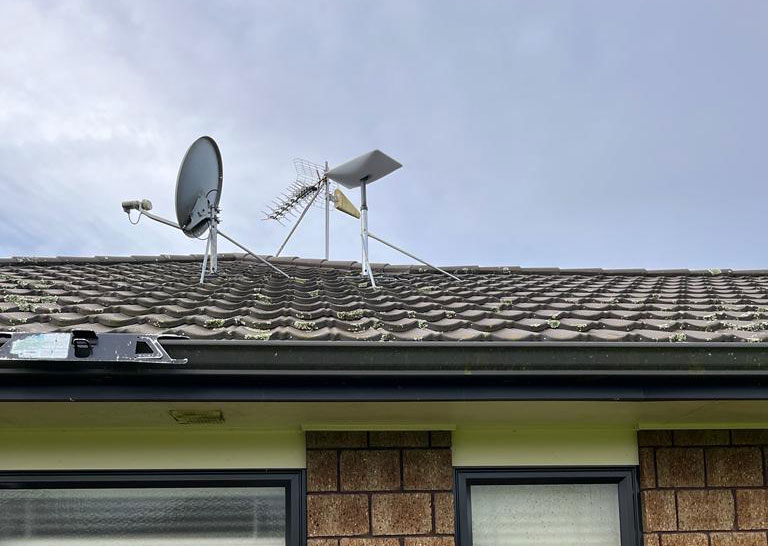
2. Wall and Eave Mounts
Starlink’s Long Wall Mount and third-party eave brackets put the dish above gutter line, clear of snow throw and ground clutter. Bolt into structural members, not fascia alone – the dish plus mount load in a windstorm will pull lag bolts out of trim boards.
3. Roof Solutions
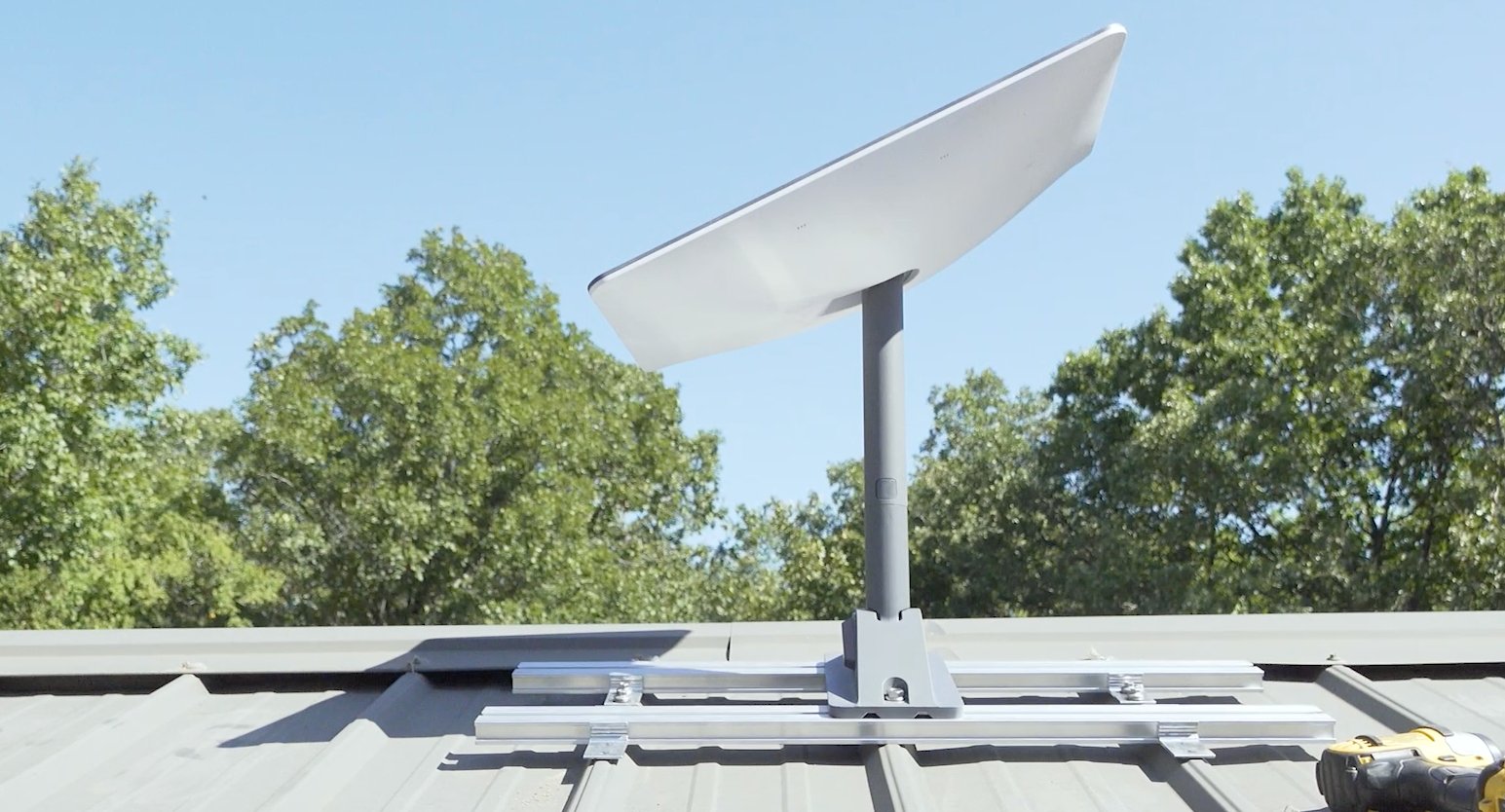
For shingle roofs use a flashed penetration mount; for metal roofs, our no-drill seam clamp guide covers clamps that pair directly with the Pipe Adapter. The Gen 3’s passive design means **no motor alignment concerns** – any rigid, plumb-enough platform works.
4. RV Use
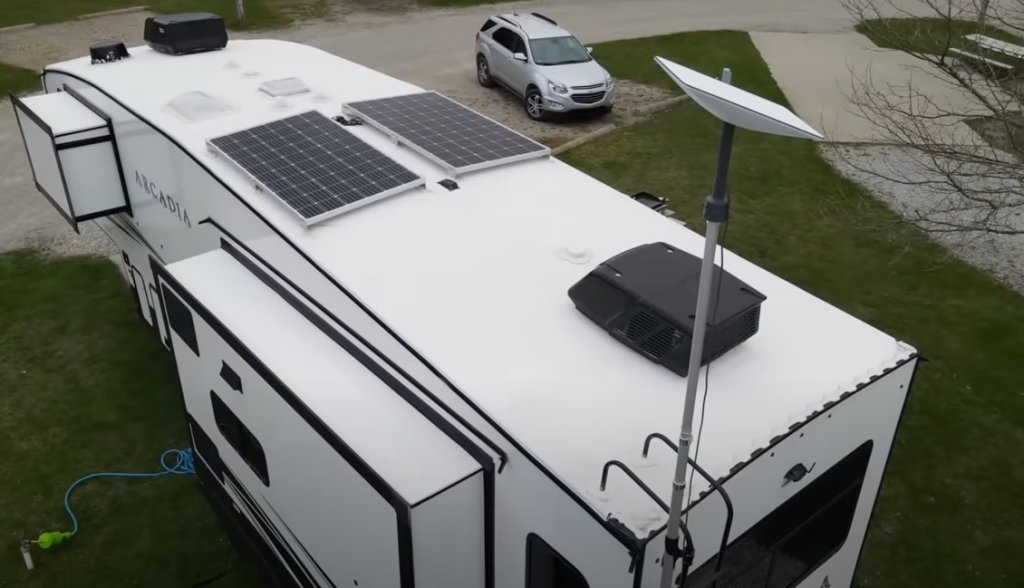
The kickstand plate bolts directly to dedicated RV ladder mounts and roof rack brackets – Gen 3 is currently the best-supported generation for mobile installs. Full hardware tested in the RV mount roundup.
Gen 3 Power and Networking Essentials
Power
Expect **75-100 W typical, ~110 W peak**, delivered over the proprietary cable from the Gen 3 router’s power supply (~**54 V DC**). For off-grid use, plug-in **12V DC conversion kits** for Gen 3 are the most mature in the ecosystem and save ~30% versus running the AC brick through an inverter – wiring walkthrough in the 12V conversion guide.
Networking
The Gen 3 router has **Ethernet built in**, so third-party routers and mesh systems attach without any extra adapter – a major step up from Gen 2. Bypass topologies and mesh benchmarks are in the bypass mode guide.
Cable
The proprietary cable connector needs a **~3/4 in** pass-through hole if you route through walls – sizing details and sealing methods in the cable pass-through guide.
Is Gen 3 the Right Platform for Accessories?
For a fixed install, yes – it has the deepest third-party support and the simplest networking path. The full generation-by-generation comparison, including where the Mini and Gen 2 still win, is in the compatibility matrix.