The Gen 3 dish’s kickstand is a clever piece of design: it packs flat, deploys in seconds, and works on a porch rail, a picnic table, or the ground. It is also the first thing every owner eventually replaces, because the moment you want the dish up – above snow, above a fence line, above the tree shadow that eats your afternoon throughput – you need a pipe adapter and a mast. This guide covers the official Gen 3 pipe adapter in detail: what it fits, how to install it without the mistakes we made, how to choose a mast that survives weather, and four alternatives that hold up when the official part is unavailable, overpriced in your region, or simply not the right tool for your site.
What the Official Pipe Adapter Is (and What It Fits)
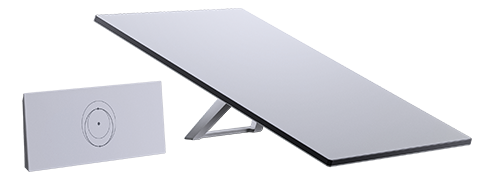
The official pipe adapter is an aluminum cradle that replaces the kickstand and locks the dish onto a standard antenna-style mast. It is machined for the V4 dish’s rear interface – the same socket the kickstand’s pivot arms occupy – and it clamps to masts in the roughly 1.25 to 2 inch (32-50mm) outer-diameter range, which is the de facto standard for TV-antenna and small weather-station masts. That compatibility is deliberate: the entire retail world of antenna masts, standoff brackets, and eave mounts becomes your Starlink hardware aisle.
A few spec points worth knowing before you order:
- It replaces the kickstand, not the cable. The dish’s 15m cable exits the same way regardless of mount. Budget for cable clips and a service loop separately.
- Hardware is stainless but basic. The included bolts and U-clamp are fine; we coat the threads with marine-grade anti-seize anyway, because a salted-air winter welds untreated hardware into a single corroded mass.
- The dish still self-aligns. The phased array steers electronically. The adapter’s job is to hold the dish plumb and rigid, not to aim it – which is why precision of angle matters far less than stiffness of the mast.
Choosing the Mast: Rigidity Beats Strength
Here is the mistake we made first, and it is the most common one in the wild: picking a mast that is strong instead of stiff. The dish weighs about 4.2 kg with its cable – no mast in history has failed under Starlink’s static load. What destroys installs is wind. The V4 dish presents a flat plate roughly 23 by 15 inches to the sky, and a sustained gale turns it into a lever arm that oscillates whatever holds it. A flexible mast that survives the storm still whips the dish, and oscillation shows up in your stats as repeated brief obstructions and throughput dips during weather.
Practical rules that have survived three winters on our test masts:
- Minimum 1.5-inch (38mm) steel, or 2-inch aluminum with a thick wall. Thin-wall EMT conduit and cheap TV masts under 1.25 inches are the two materials we see in every “why does my dish drop out in wind” forum thread.
- Shorter is stiffer. Every meter above the last support point multiplies flex. Under 2 meters of exposed mast above the mount, most rigid steel pipe is fine. Past 3 meters, you are planning a guyed mast whether you know it or not.
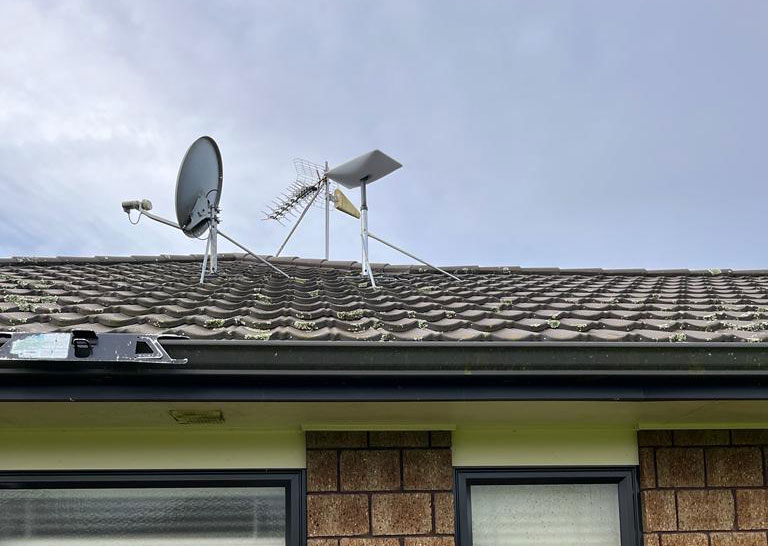
- Guy wires above roughly 3 meters. Three points at 120 degrees, aircraft cable, turnbuckles for tension. Non-negotiable for tall pole installs – the dish will survive flex that your mount alignment will not.
- Never PVC. It appears in DIY videos because it is easy to work with. UV degrades it in a couple of seasons, and it flexes like a fishing rod. We have never seen one still standing after a year.
Install Walkthrough: Twenty Minutes, Two Tools
Step 1 – Remove the kickstand. Depress the release tabs on both pivot arms and slide them out of the rear socket. It takes firm pressure the first time; this is normal, not breakage.
Step 2 – Seat the adapter. The cradle’s rail slides into the same rear channel. Orientation matters: the mast clamp must point away from the dish face so the clamp’s bolt heads sit behind the antenna when viewed from the sky. Get this wrong and you will discover it at step 4, holding the dish upside down.
Step 3 – Mount and plumb the mast. Fix the mast to its bracket or ground socket, and check it with a bubble level in two directions. A few degrees off vertical is irrelevant to signal; it is relevant to how the wind load vectors into your bracket.
Step 4 – Clamp the dish. Slide the adapter’s clamp over the mast, set the dish’s tilt within the allowed range (the adapter stops let you park it between roughly 10 and 45 degrees from horizontal – most residential installs sit around 20-30 degrees), and torque the bolts snugly. “Snugly” means the clamp cannot rotate with firm hand pressure on the mast – not arm-of-gorilla tight, which deforms aluminum cradles.
Step 5 – Route the cable. Zip-tie the run along the mast with UV-rated clips every 40-50cm, leaving a slack service loop at the bottom before the entry point. The loop is what allows seasonal expansion, mast flex, and future maintenance without stressing the connector. Our cable pass-through guide picks up the story at the wall.
Four Alternatives That Hold Up
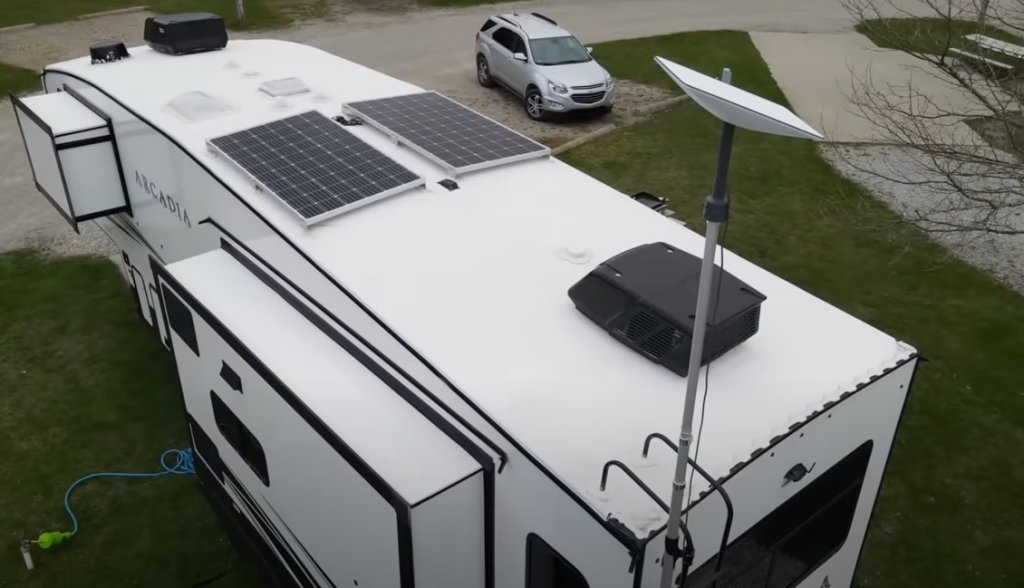
1. Generic antenna mast kits ($25-60). The closest substitute for the official adapter on a budget: a galvanized steel mast plus standoff eave bracket, with the dish cradled by a heavy-duty pipe clamp arrangement. This is the classic rural-internet build and it works, with two conditions – the mast must meet the rigidity rules above, and you need a solution for the dish-to-mast interface, since a raw clamp cannot fill the kickstand socket. Some builders fabricate a wooden cradle that bolts to a saddle clamp; it is ugly and it works, and it has been running on barns since long before Starlink.
2. Camera and game-deck extension poles. Telescoping 20-30ft poles marketed for cameras can lift a dish above a single-story roofline, and they are the cheapest path to “clear the tree shadow” on a rental property where permanent hardware is not allowed. The tradeoffs are real: most need guying at full extension, wind-day oscillation is noticeable, and the mounting feet are inadequate without auguring or ballasting. As a semi-permanent solution, add a base of three ground anchors; as a permanent solution, move on.
3. Purpose-built Starlink mount systems ($150-450). The aftermarket has matured into full mount kits – marine-grade brackets, adjustable caravan racks, heavy roof-mount systems with integrated cable management. Companies in this space sell complete engineered solutions that cost several times the official adapter and earn it in specific situations: salt-air environments, permanent marine installs, and wind-exposed ridge lines where the install must survive without attention for years. For a suburban wall mount, they are overkill; for a coastal cabin, they are the right call. Whatever you buy, verify it is rated for the V4 interface and check the compatibility matrix before assuming Gen 2 hardware translates – the mounting sockets differ.
4. Fence posts and ground sockets – the rural workhorse. A galvanized fence post driven or concreted 60-80cm into the ground, topped with the official pipe adapter, is the cheapest bulletproof permanent install we know. Total hardware cost is often under $40 plus the adapter. It puts the dish above snow depth, it can be relocated by pulling concrete, and it scales: add height by moving to a longer post and adding guys. On our cabin, this arrangement has outlived two “better” commercial mounts.
| Product | Best For | Key Features | Price |
|---|---|---|---|
| The Official Path - Gen 3 Pipe Adapter |
| Check Price on Amazon |
 | Budget Route - Galvanized Mast + Eave Bracket |
| Check Price on Amazon |
 | High Fixed Installs - Guyed Mast Kit |
| Check Price on Amazon |
Wind: The Spec Nobody Publishes
Starlink rates the dish for operation in high wind, but the mast’s rating is your problem. Two heuristics from the field: first, assume exposed flat-plate wind loading – the dish cannot feather or shed load the way an antenna can, so size the mast as if a 23×15-inch sign were bolted to it in a storm. Second, watch for the failure sequence: wind never snaps a good mast outright; it works the bracket fasteners loose over seasons, adds a rattle, adds a wobble, and then adds a horizontal dish one morning. An annual check – retorque the clamp, inspect the bracket, confirm the guying tension – takes ten minutes and prevents every one of those stories.
If your site needs the dish mounted on the structure itself rather than a mast, our no-drill metal roof guide covers clamp systems for standing-seam roofs, and the full mounting guide compares every approach by surface type and dish generation.
Quick Answers
Can I use a Gen 2 pipe adapter on a Gen 3 dish? No – the cradle interfaces differ between generations. Check any used hardware against the compatibility matrix before buying.
Does the dish need to be level? No, it self-aligns electronically. Plumb matters for wind load distribution and aesthetics, not for signal.
What tilt angle is best? Whatever clears your obstruction window – typically 20-30 degrees from horizontal in most of the northern hemisphere. The app’s obstruction checker settles it in two minutes.
Adapter included with the dish? The Standard kits ship with the kickstand; the pipe adapter is a separate purchase, though some regional bundles and the Enterprise packaging include a mount of your choice.
The pipe adapter is a $30-40 part that unlocks the most important performance upgrade available to a Starlink owner: putting the dish where the sky is clear and the wind has nothing to push against. Buy it, bolt it to something rigid, route the cable with a service loop – and check the fasteners once a year. That is the entire secret to a mount you forget about.