Independent Review Notice: All product recommendations are selected independently by our team. We may earn an affiliate commission when you purchase through links on our site.
Every Standard and High Performance Starlink dish ships with a heated face, and in snow country that heater is the difference between uptime and blackout. But the snow melt system is also the single biggest power consumer in the whole kit, and running it blindly can double your energy bill — or flatten an off-grid battery bank overnight. This guide explains how each mode works, what it really costs in watts, and the physical snow-management gear that keeps the heater from ever being your only option.
| Product | Best For | Key Features | Price |
|---|---|---|---|
 | Best Roof Tool - 21 ft Telescoping Snow Rake |
| Check Price on Amazon |
 | Best Quick Clear - Extendable Snow Brush |
| Check Price on Amazon |
| Best Install Upgrade - Waterproof Cable Gland Kit |
| Check Price on Amazon |
How the Snow Melt System Actually Works
The dish face contains a resistive heating mesh sandwiched behind the phased array. When the system detects snow or ice — via temperature, moisture, and performance sensors — it energizes the mesh, and meltwater runs off the lower edge of the dish. Because the array is heated from behind, performance usually holds during a melt cycle; the app’s stats page will show brief throughput dips while the face clears.
Three important facts from real-world operation:
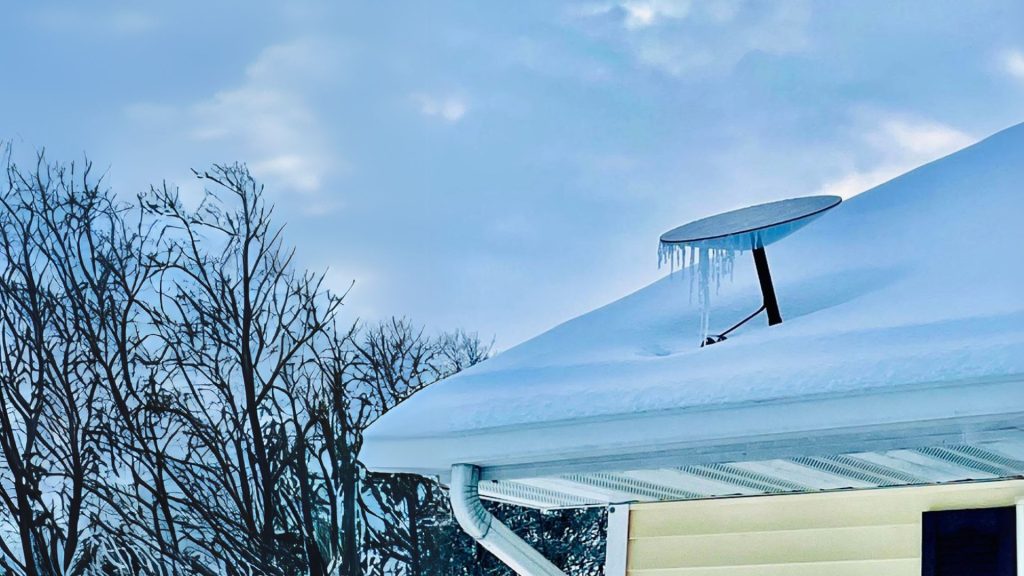
- Deep snow can outrun the heater. Accumulation above roughly 2–3 inches of wet snow can insulate the face faster than it melts. The dish soldier on at reduced speed — or drops offline.
- The heater needs headroom in your power budget. Normal consumption for a Gen 3 standard dish is 75–100W; active snow melt can push sustained draw toward 150W+. Off-grid systems must size batteries and solar for the winter peak, not the summer average.
- Mounting angle matters more than wattage. A dish mounted near-vertical (standard practice in snow regions) sheds meltwater and light snow by gravity alone. Shallow-angle roof mounts trap slush at the bottom edge.
The Three Snow Melt Modes in the App
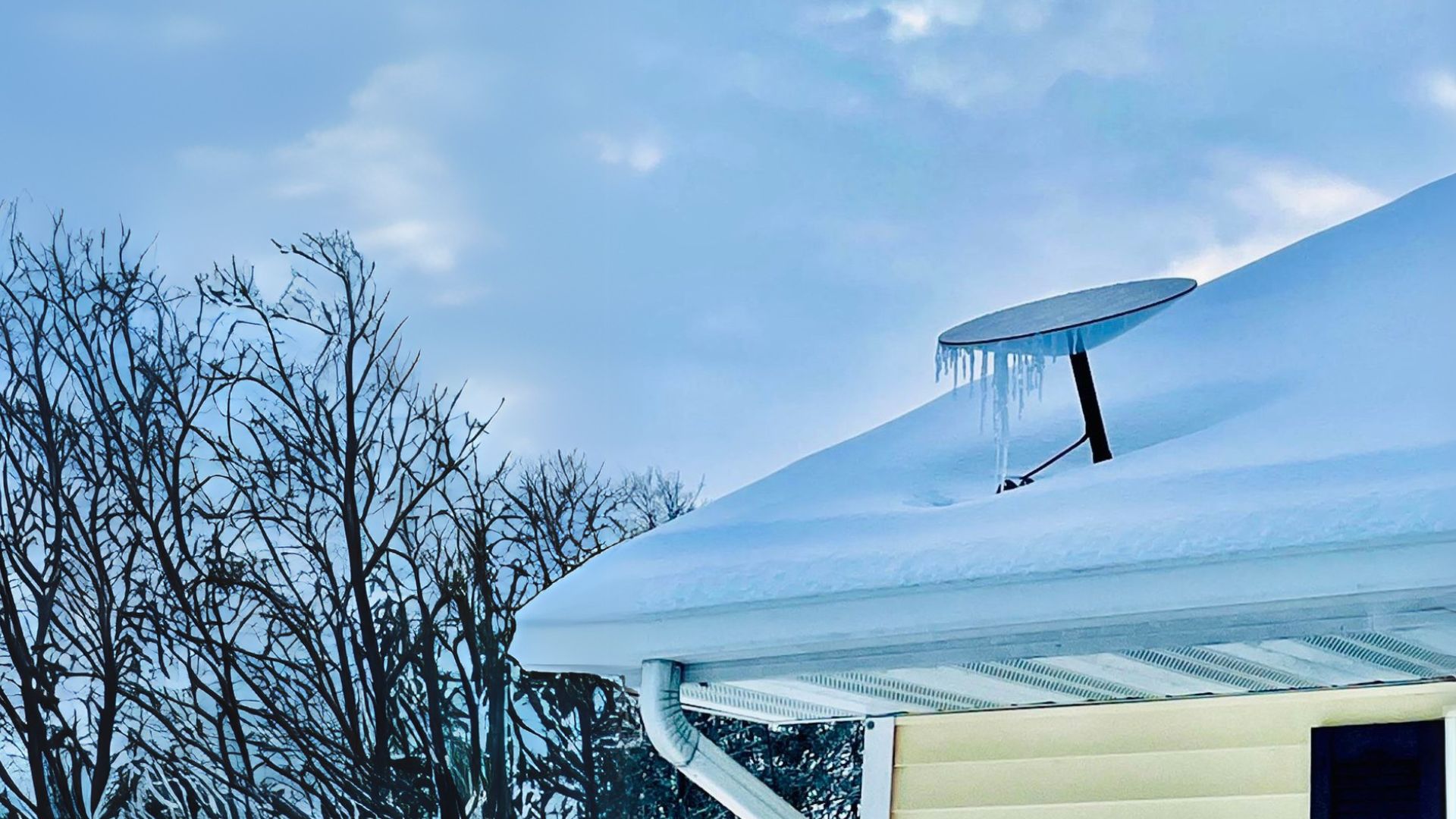
The Starlink app exposes three heating modes, and choosing correctly is worth real money over a winter:
- Automatic — the default. The dish heats only when it detects accumulation. Best for grid-powered homes; essentially free to leave on.
- Standard — continuous heating whenever temperatures are low. This is the highest-draw setting and only makes sense for wet, heavy climates where refreeze keeps defeating Automatic mode.
- Preheat — schedules heating so the face is warm before snow starts falling. Ideal for off-grid and generator users: spend the watts when power is cheap, not during the storm.
The app also shows snow melt status live — you can watch the mode engage and the power draw climb on the statistics screen.
Off-Grid Winter Math
Here’s the calculation that decides whether your bank survives January. A Gen 3 dish in Automatic mode with daily snow events averages roughly:
- Normal operation: 80W x 24h = ~1.9 kWh/day
- With 6 hours of active melt: +50W x 6h = +0.3 kWh/day
- Winter total: ~2.2 kWh/day — before your router, fridge, or lights
That’s why our off-grid solar guide recommends sizing winter arrays at 2–3x summer capacity in snow country, and why a 12V DC conversion (eliminating inverter overhead) matters even more once the heater enters the mix. If your power budget can’t absorb melt cycles, physical snow removal is the cheapest accessory you can buy.
The Gear That Reduces Heater Dependence
Telescoping snow rake
A 21 ft aluminum roof rake clears accumulation above and around a roof-mounted dish from the ground. The technique that matters: clear a generous zone around the dish, not just the dish itself — snow sliding off the roof above a dish can bury it instantly, and ice-sheet avalanches from upper roofs are what actually snap mounts.
Check Price on Amazon: Telescoping Snow Rake
Extendable snow brush
For pole-mounted and eave-height dishes, a 12–24 inch extendable brush with a foam head clears the face in seconds without scratching the hydrophobic coating. Never use metal shovels or ice chippers on the array — the mesh heater sits directly under the surface.
Check Price on Amazon: Extendable Snow Brush
Sealed cable pass-throughs
Snow melt generates a surprising amount of meltwater, and winter freeze-thaw cycles exploit any sloppy wall penetration. A proper watertight cable gland on the pass-through — sized for the Gen 3’s slim connector — keeps meltwater out of the wall cavity. Our cable pass-through guide covers sealing technique in detail.
Check Price on Amazon: Cable Gland Kits
What the Mini Can’t Do
Worth knowing: the Starlink Mini has no snow melt heater — its low 25–40W power profile leaves no room for one. Mini users in snow country must rely entirely on physical clearing and smart placement, which is why our Mini setup guide emphasizes a cache-friendly mounting spot near eye level.
Verdict: Use Automatic Mode, and Keep a Rake Handy
The snow melt system works — but it’s a backup system, not a snow-removal service. Run Automatic mode, mount steep, seal your penetrations, and keep a telescoping rake by the door. Your dish, your batteries, and your uptime graph will all thank you in February.